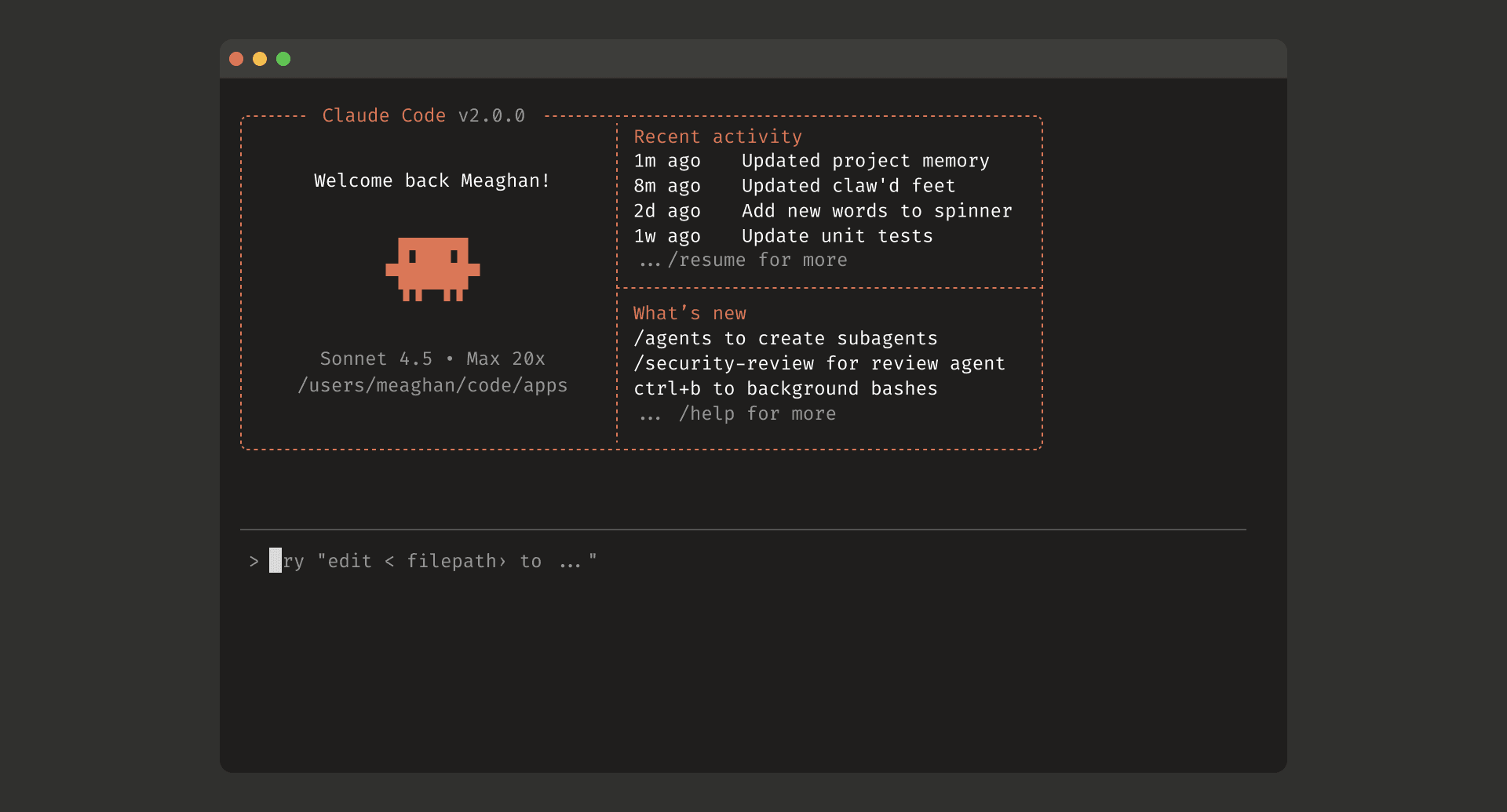



Reading Claude Code’s source: a CLI on the surface, an agent runtime underneath
On March 31, 2026, the source for Anthropic’s Claude Code CLI leaked through a published source map. That part made the rounds on social media. The more interesting question is what the code actually reveals.
This repository mostly contains the src/ tree. It does not include package.json, CI configuration, or the full release pipeline. So this is not a complete reconstruction of the product. It is a source-level architectural read of the client runtime that leaked.
And that runtime is not small.
After reading through the code, I don’t think the best description is “a terminal app that calls Claude.” It looks much more like an agent execution platform built with Bun, TypeScript, and React/Ink, with a query engine, tool runtime, permission system, MCP client stack, skill and plugin loading, and a real multi-agent model layered on top.
What this codebase actually is
The size of the tree tells part of the story.
- Files under
src/: 1903 - First-level entries under
src/commands/: 101 - First-level entries under
src/tools/: 43 - Files under
src/components/: 389
Some of the core files are large enough to matter on their own.
src/main.tsx: 4683 linessrc/query.ts: 1729 linessrc/QueryEngine.ts: 1295 linessrc/services/mcp/client.ts: 3348 linessrc/skills/loadSkillsDir.ts: 1086 linessrc/Tool.ts: 792 lines
That is already a hint. The center of gravity is not prompt text. It is runtime machinery.
At a high level, the flow looks like this:
main.tsx
  -> startup and initialization
  -> load commands / tools / MCP / skills / plugins
  -> launch REPL or non-interactive session
  -> QueryEngine.submitMessage()
      -> query() streaming loop
      -> tool orchestration
      -> permission checks
      -> tool execution
      -> message and state updates
So yes, it is a CLI. But the architecture is built around something more specific: a long-lived runtime that lets a model work through tools, state, and permissions without turning the whole thing into chaos.
Startup is treated like product work
One of the first things that jumped out at me in src/main.tsx was the number of top-level side effects. In a lot of TypeScript codebases, that would be a smell. Here it is deliberate.
Before the heavier imports settle in, the code starts a few things early:
profileCheckpoint()for startup profilingstartMdmRawRead()to kick off MDM readsstartKeychainPrefetch()to start keychain access in parallel
The comments are explicit about why this exists. The runtime is trying to overlap import cost with I/O cost, shaving off startup latency wherever it can.
The same pattern shows up again in src/entrypoints/init.ts.
- Apply only safe environment variables before trust is established
- Delay telemetry imports
- Preconnect to the Anthropic API
- Start loading remote managed settings and policy limits early
- Initialize proxy, mTLS, and upstream proxy support
That is not how you write a toy CLI. That is how you write a tool people are expected to launch all day, every day, in environments where OAuth, proxies, certs, device management, and enterprise policy can all go wrong in slightly different ways.
The startup path is not just about speed, either. It is about reducing friction in the exact places that tend to break in real deployments.
The real core is a two-layer execution model
The center of the system sits in src/QueryEngine.ts and src/query.ts.
This split is one of the cleaner design choices in the codebase.
QueryEngine owns the conversation
QueryEngine is the stateful piece. It holds onto:
mutableMessagesabortControllerpermissionDenialstotalUsagereadFileState
submitMessage() takes a new user prompt and combines it with the current session state, tool set, command set, MCP clients, model settings, thinking config, and other runtime context. In other words, Claude Code is not structured like “send one request, get one answer.” It is structured like an ongoing session with persistent state.
That matters because the CLI has to support more than one mode of use. It needs to work in an interactive REPL, in SDK or headless flows, and in background or delegated execution paths. A stateful QueryEngine gives it one place to own that continuity.
query.ts runs the turn
If QueryEngine owns the session, query.ts owns the turn.
That file handles the streaming loop and the messy parts that come with it:
- receiving assistant stream events
- detecting
tool_use - inserting tool results
- recovering from output token limits
- auto-compact and reactive compact behavior
- stop hooks and post hooks
- token budget tracking
That split buys them a lot.
- Session state and turn execution are separate concerns.
- The same execution machinery can be reused across REPL and headless paths.
- Long-conversation problems like compaction and retry logic do not have to live inside one giant stateful method.
Plenty of LLM products end up with a sprawling loop that mixes API calls, state mutation, retries, and tool handling in one place. Claude Code is still complex, but the complexity is at least partitioned.
Commands and tools are not the same thing
This is probably the most important architectural distinction in the whole codebase.
Claude Code makes a clean separation between Command and Tool.
Commands are the user-facing layer
src/commands.ts is where slash commands like /review, /memory, /mcp, /doctor, and /resume come together.
But the interesting part is how they are assembled. getCommands() does not just return a hardcoded built-in list. It merges several sources:
- bundled skills
- built-in plugin skills
- skill directory commands
- workflow commands
- plugin commands
- plugin skills
- built-in commands
So /something is not just a fixed CLI verb. It is part of a composable user-facing layer that can be extended and merged at runtime.
Tools are the model-facing execution contract
src/Tool.ts, by contrast, defines the common contract for things the model can actually invoke. This is where you see input schemas, progress types, permission context, tool use context, notifications, and state update hooks.
src/tools.ts then acts as the registry for base capabilities. That includes things like:
BashToolFileReadToolFileEditToolFileWriteToolGlobToolGrepToolWebFetchToolWebSearchToolSkillToolAgentToolTaskCreateToolEnterPlanModeToolExitPlanModeV2Tool
This separation sounds obvious once you see it, but a lot of products blur the two.
A user typing /review is expressing intent.
A model calling BashTool or FileEditTool is asking for execution.
Those are different responsibilities. Claude Code treats them that way, which makes the runtime easier to evolve. You can change the user experience without rewriting the execution substrate, and you can add or remove tools without rebuilding the whole command layer.
Tool execution is not just a serial pipe
src/services/tools/toolOrchestration.ts is a small file, but it reveals another important choice.
Tool calls are not always executed one after another. The runtime partitions them into batches:
- read-only, concurrency-safe tools can run together
- mutating tools are forced through serial execution
That is exactly the kind of tradeoff you want in an agent runtime. Full serialization is safe but slow. Full parallelism is fast but brittle. Claude Code takes the middle path and pushes concurrency down into the tool model itself through isConcurrencySafe().
That tells you something about the team’s priorities. They were not satisfied with “the model emitted tool calls, so we ran them.” They were building a runtime that understands which operations can safely overlap and which ones should not.
Permissions are a real subsystem, not a dialog box
Claude Code’s safety story is much deeper than a simple yes-or-no prompt.
The codebase has a dedicated permission layer, and that layer is clearly treated as infrastructure.
Permission state is centralized
ToolPermissionContext carries much more than a mode flag. It includes:
modealwaysAllowRulesalwaysDenyRulesalwaysAskRulesadditionalWorkingDirectoriesisBypassPermissionsModeAvailableshouldAvoidPermissionPromptsawaitAutomatedChecksBeforeDialogprePlanMode
That is a good sign. The model is not deciding permissions ad hoc one tool at a time. The session is operating under a policy context.
Permission decisions are structured
In src/hooks/useCanUseTool.tsx, each tool invocation first goes through hasPermissionsToUseTool(), which returns one of three outcomes:
allowdenyask
Even that is not the whole story. If the result is ask, the runtime still may not immediately show a dialog. The code can route through:
- classifier-assisted checks
- coordinator-specific permission handling
- swarm worker handling
- interactive permission UI
For shell-related operations, there is even speculative classifier logic that may approve known-safe commands before the user ever touches the prompt.
The UI is tool-specific
src/components/permissions/PermissionRequest.tsx works as a dispatcher for permission UIs, and it does not treat all tools the same. There are dedicated flows for:
- Bash
- File edit
- File write
- Notebook edit
- Web fetch
- Skill invocation
- Entering plan mode
- Exiting plan mode
That matters. “Let this tool read a file” and “approve the plan and exit plan mode” are not the same user interaction. The code reflects that instead of flattening everything into one generic prompt.
Plan mode is part of the safety model
Plan mode is not just a nice bit of workflow polish. In this codebase it is tied into the permission system and mode transitions.
The rough shape is:
- explore and design before implementing
- require approval when leaving plan mode
- interact with auto mode
- strip and restore dangerous permission rules when needed
That is a serious design choice. It turns “think first, code second” from a prompt instruction into an enforceable part of the runtime.
Extensibility comes through three different channels
Claude Code is extensible, but not through one giant plugin bucket. The extension surfaces are separated in a way that actually makes sense.
MCP is the connection layer
src/services/mcp/client.ts is one of the largest files in the tree, and it earns that size. MCP support here is not shallow.
The client stack handles at least these transports:
- stdio
- SSE
- Streamable HTTP
- WebSocket
- SDK control transport
On top of that, it deals with:
- OAuth and auth refresh
- session expiration
- listing tools and resources
- truncating large tool results
- persisting binary content when needed
The important part is not just that MCP exists. It is that MCP tools are folded into the same runtime model as local tools. They participate in the same execution loop, the same progress reporting, and the same permission story. They are extensions to the runtime, not a bolt-on side channel.
Skills are Markdown turned into capability
One of the more distinctive pieces in Claude Code is the skill system. In src/skills/loadSkillsDir.ts, skills are loaded from Markdown plus frontmatter.
That frontmatter is doing real work. It can carry things like:
- description
- allowed tools
- argument names
whenToUse- model
- effort
- hooks
- shell
- execution context
The implementation is practical, too. The runtime estimates token cost from frontmatter before it loads full content, so it does not have to eagerly shove every skill body into memory or context just to build an index.
That is a good example of the broader style in this codebase. Even when a feature is prompt-heavy, it is still implemented like software, not like a pile of strings.
Plugins are a packaging layer
src/utils/plugins/loadPluginCommands.ts walks plugin Markdown recursively, turns it into commands, treats SKILL.md specially, and builds namespaced command names from directory structure.
That gives Claude Code three separate extension stories:
- MCP for external services and external capabilities
- skills for model-facing capability packages
- plugins for distribution and local command or skill packaging
I like this split. A lot of AI tools dump connection logic, prompt assets, and package distribution into the same concept. Claude Code does not. It separates connection, knowledge, and packaging into different layers.
Multi-agent support is built into the model
The other thing that stands out is how deep the multi-agent design goes.
AgentTool is not a thin wrapper
Just looking at the schema in src/tools/AgentTool/AgentTool.tsx tells you a lot. The inputs include:
descriptionpromptsubagent_typemodelrun_in_backgroundnameteam_namemodeisolationcwd
That is not “spawn a helper and hope for the best.” It is a structured execution unit with naming, permission mode, team context, working directory overrides, and isolation strategy.
Isolation is part of the design
The isolation field is especially telling. Depending on feature gates, agents can run with:
worktreeisolationremoteisolation
That means the system is thinking about more than delegation. It is thinking about operational separation.
- Keep edits from colliding
- Push work into remote environments when needed
- Run longer tasks in the background
Once you add those concerns, you are no longer building a simple “AI coding assistant.” You are building infrastructure for multiple software workers operating with partial independence.
Coordinator mode is explicit
src/coordinator/coordinatorMode.ts makes this even clearer. There is a dedicated coordinator prompt that tells the main agent to:
- delegate research, implementation, and verification
- launch independent workers in parallel
- treat worker results as internal task notifications
- avoid wasting workers on trivial tasks
This is more concrete than the marketing version of “multi-agent.” The role split between coordinator and worker is encoded directly into the runtime model.
That does not mean every real session is elegant or that the system magically solves orchestration. But it does mean the product was designed with asynchronous, delegated work in mind from the inside out.
What the code says about the product
Reading through all of this, a few design choices keep coming back.
The model matters, but the surrounding runtime matters more
The product is not defined by one prompt or one API call. It is defined by the machinery around the model: state management, tool execution, permissions, extension loading, and orchestration.
Safety is handled as a horizontal concern
The permission system is not scattered across a bunch of tool implementations. It is a cross-cutting layer with modes, policies, structured decisions, and tool-specific UI.
That is a much more mature way to build this kind of system.
Extensibility is built in, not bolted on
MCP, skills, and plugins all exist for different reasons, and the code respects those boundaries. That usually pays off later, when the product grows and the original abstractions start getting stressed.
This was built for daily use, not just demos
The startup optimizations, keychain work, MDM handling, proxy support, remote settings, policy limits, background agents, and worktree isolation all point in the same direction: this code was meant to survive real usage.
That is probably the biggest takeaway of the lot.
What this leak does not tell us
There are still gaps.
- We do not have the full build and publish pipeline
- We do not have the CI and test setup
- We do not have the full release workflow
- We cannot see how feature flags were operated in practice
- Some server-side behavior is still outside the tree
So I would not claim this code explains all of Claude Code. It does not.
But it explains enough to make one thing pretty clear: the interesting part of the product was never just the model. It was the runtime wrapped around it.
Closing thought
The strongest impression I came away with is that Claude Code is closer to an operating environment for coding agents than a chat app in a terminal.
The flashy part of the product is easy to imagine: ask for a change, get a change. The harder part is everything underneath:
- startup paths that do not feel sluggish
- a conversation engine that can keep state straight
- tool orchestration that knows when to parallelize
- a permission model that can survive real use
- extension surfaces that do not collapse into one giant mess
- agent execution that can be isolated, backgrounded, and coordinated
If you are building LLM products, it is tempting to focus on the model choice and the prompt. This codebase is a useful reminder that the hard part often lives outside both.
The model gives you raw capability. The runtime decides whether that capability is actually usable.
Claude Codeのソースコードを読む: CLIの顔をしたエージェント実行基盤の設計
2026年3月31日、Anthropicの Claude Code CLI のソースコードが .map ファイル経由で流出した。センセーショナルな出来事ではあるが、技術的に面白いのは「中で何が動いていたのか」だ。
このリポジトリには主に src/ ディレクトリだけが含まれており、package.json や CI 設定、公開用のビルド定義までは見えていない。つまりこの記事は「プロダクト全体の完全な復元」ではなく、流出したソースコードから読み解けるアーキテクチャの分析である。
結論から言うと、Claude Code は単なる「ターミナルで Claude を呼ぶ CLI」ではない。Bun + TypeScript + React/Ink の上に、クエリエンジン、ツール実行基盤、権限システム、MCP クライアント、スキル/プラグイン機構、さらにマルチエージェント実行まで積んだ、かなり本格的なエージェント実行プラットフォームだった。
まず全体像: これは本当にCLIなのか
ソースツリーをざっと数えるだけでも、実装の規模感はすぐ分かる。
src/配下のファイル数: 1903src/commands/直下: 101src/tools/直下: 43src/components/配下: 389
さらに主要ファイルの行数を見ると、責務の重心も見えてくる。
src/main.tsx: 4683 行src/query.ts: 1729 行src/QueryEngine.ts: 1295 行src/services/mcp/client.ts: 3348 行src/skills/loadSkillsDir.ts: 1086 行src/Tool.ts: 792 行
この数字だけでも、Claude Code の中心が「プロンプト」ではなく「実行基盤」にあることが分かる。構造をかなり乱暴に圧縮すると、全体像は次のようになる。
main.tsx
  -> 初期化(init)
  -> commands / tools / MCP / skills / plugins のロード
  -> REPLまたは非対話セッションの起動
  -> QueryEngine.submitMessage()
      -> query() のストリーミングループ
      -> tool orchestration
      -> permission layer
      -> tool execution
      -> メッセージ履歴・状態更新
CLI の皮をかぶってはいるが、設計の中心は「会話しながらツールを安全に実行するランタイム」にある。
起動設計: 体感速度を最適化するための初期化
src/main.tsx を開くと、最初に目に入るのはトップレベルの副作用だ。ふつうの CLI なら避けたくなる書き方だが、ここでは明確に意図されている。
profileCheckpoint()で起動プロファイルを採取startMdmRawRead()で MDM 設定読み込みを先行startKeychainPrefetch()でキーチェーン読み込みを先行
コメントにもある通り、これらは「重い import の裏で I/O を走らせる」ための設計だ。つまり Claude Code は、起動時の数十ミリ秒単位の遅延まで気にしている。
この思想は src/entrypoints/init.ts にも一貫している。
- trust 確立前に安全な環境変数だけ適用する
- telemetry は遅延 import する
- Anthropic API への preconnect を走らせる
- remote managed settings や policy limits のロードを早めに開始する
- proxy / mTLS / upstream proxy まわりを初期化する
ここで面白いのは、Claude Code が「LLM クライアント」ではなく「起動最適化されたアプリケーション」として作られている点だ。Web アプリやバックエンドではよくある発想だが、ターミナルツールでここまで丁寧にやっている例は多くない。
しかも初期化の最適化は単なる高速化ではない。OAuth、キーチェーン、MDM、プロキシ、証明書、remote settings など、企業環境で壊れやすい要素を先に扱っている。Claude Code が個人向けの玩具ではなく、エンタープライズ利用を強く意識した CLI であることがここから見える。
中核: QueryEngine と query loop の二層構造
Claude Code の中心にあるのは src/QueryEngine.ts と src/query.ts だ。
この分割はかなりうまい。
QueryEngine は「会話セッションの所有者」
QueryEngine クラスは、会話の状態を持つ。
mutableMessagesabortControllerpermissionDenialstotalUsagereadFileState
submitMessage() は新しいユーザーメッセージを受け取り、現在の cwd や tools、commands、MCP clients、thinking config などを束ねて1ターン分の実行を始める。ここで重要なのは、Claude Code が「1回 API を叩いて返す」モデルではなく、「会話の継続状態を QueryEngine が持ち続ける」モデルだということだ。
これは SDK/ヘッドレス実行にも都合がいい。コメントでも、QueryEngine は将来的に REPL と headless の両方から使える共通ロジックとして位置づけられている。
query.ts は「ストリーミング実行ループ」
一方の query.ts は、より低いレイヤでストリーミングと遷移を担当する。
- assistant のストリーム受信
- tool_use の検出
- tool result の挿入
- max token 到達時の recovery
- auto compact / reactive compact
- stop hooks / post hooks
- token budget 管理
つまり QueryEngine がセッションのオーケストレータで、query() が1ターンの実行状態機械になっている。
この二層構造には利点がある。
- 会話状態の所有と、1ターンのストリーム制御を分離できる
- SDK / REPL / バックグラウンド実行で再利用しやすい
- compact や retry のような「長い会話で効いてくる複雑さ」を isolated に扱える
LLM アプリはしばしば「1本の巨大な while ループ」に崩壊しがちだが、Claude Code はかなり意識的に責務を切っている。
Tool と Command を分けたのが、この設計の本質
Claude Code を面白くしている最大のポイントは、Command と Tool を明確に分けていることだ。
Command はユーザー向けのUX
src/commands.ts では /commit /review /memory /mcp /doctor /resume のような slash command 群を束ねている。ここで重要なのは、コマンド定義が built-in だけで終わっていないことだ。
getCommands() は以下を合成して最終的な command 一覧を作る。
- bundled skills
- builtin plugin skills
- skill directory commands
- workflow commands
- plugin commands
- plugin skills
- built-in commands
つまり /xxx は固定の CLI サブコマンドではなく、後から合成されるユーザー体験レイヤになっている。
Tool はモデル向けの実行契約
それに対して src/Tool.ts は、モデルが呼べる実行単位の共通契約を定義している。ここには入力 schema、progress、permission context、tool use context、notifications、AppState 更新などが集約されている。
src/tools.ts の getAllBaseTools() は、実質的に Claude Code の「組み込み能力一覧」だ。ここに並ぶのは例えば次のようなものだ。
BashToolFileReadToolFileEditToolFileWriteToolGlobToolGrepToolWebFetchToolWebSearchToolSkillToolAgentToolTaskCreateToolEnterPlanModeToolExitPlanModeV2Tool
この分離は極めて重要だ。なぜなら、ユーザーが /review と打つことと、モデルが BashTool や FileEditTool を呼ぶことは、本質的に別の責務だからだ。
- Command は「何をしたいか」を表す
- Tool は「どう実行するか」を表す
この二段構えにしているおかげで、Claude Code は UX と実行基盤を別々に進化させられる。
ツール実行も単純な逐次処理ではない
src/services/tools/toolOrchestration.ts を見ると、tool call は全部直列に流しているわけではない。
実装はざっくり次の方針になっている。
- concurrency-safe な read-only 系ツールはバッチ化して並列実行
- それ以外の mutation 系ツールは直列実行
これは小さいが重要な判断だ。エージェントの tool use は雑に並列化すると壊れるし、全部直列にすると遅い。Claude Code はツールごとに isConcurrencySafe() を持たせて、その場でバッチングしている。
つまりここでも、「LLM が tool_use を出したらそのまま処理する」ではなく、「安全な並列性を持つタスクランタイム」として作られている。
安全設計: Permission を独立レイヤにしている
Claude Code の安全性は、単なる yes/no ダイアログではない。かなり分厚い permission subsystem が別レイヤとして存在している。
権限状態は ToolPermissionContext に集約される
ToolPermissionContext が保持するのは、単なる mode だけではない。
modealwaysAllowRulesalwaysDenyRulesalwaysAskRulesadditionalWorkingDirectoriesisBypassPermissionsModeAvailableshouldAvoidPermissionPromptsawaitAutomatedChecksBeforeDialogprePlanMode
つまり Claude Code の権限モデルは、「今このツールを許可するか」ではなく、「このセッションがどういう統治ルールで動くか」を管理している。
allow / deny / ask を返す判定系
src/hooks/useCanUseTool.tsx では、各 tool invocation に対してまず hasPermissionsToUseTool() を呼び、その結果として allow deny ask を受け取る。
ここで面白いのは、ask になった瞬間に即 UI を出すのではないことだ。
- classifier の結果待ち
- coordinator mode 向け処理
- swarm worker 向け処理
- interactive permission UI
という複数の分岐が挟まっている。特に bash 系では speculative classifier check まで入っていて、ユーザーがダイアログを触る前に安全な許可を自動で確定できる余地がある。
UI も tool ごとに分かれている
src/components/permissions/PermissionRequest.tsx は permission UI のルータとして機能しており、ツールごとに専用の確認コンポーネントを出し分ける。
- Bash 用
- FileEdit 用
- FileWrite 用
- NotebookEdit 用
- WebFetch 用
- Skill 用
- EnterPlanMode / ExitPlanMode 用
つまり permission UI まで「共通ダイアログ」ではなく、ツールの意味に沿って最適化されている。これは実運用ではかなり効く。なぜなら、bash を許可する と plan mode へ入ることを承認する では、ユーザーが確認したい情報が全く違うからだ。
plan mode も安全機構の一部
Claude Code の plan mode は UX 上の儀式ではない。コードを見ると、permission system や mode transition と強く結びついている。
- 実装前に探索と設計だけを許す
- exit 時に承認を要求する
- auto mode との相互作用を持つ
- dangerous permission を strip / restore する流れがある
つまり「まず設計して合意してから書く」というフローが、プロンプト上のお願いではなくシステム機能になっている。
拡張性: MCP、skills、plugins を全部別の口で受けている
Claude Code は拡張可能な CLI だが、その拡張ポイントは1種類ではない。
MCP: 外部能力を接続するための標準口
src/services/mcp/client.ts はかなり巨大で、MCP を本気で実装していることが分かる。
対応しているトランスポートは少なくとも次の通りだ。
- stdio
- SSE
- Streamable HTTP
- WebSocket
- SDK control transport
さらに OAuth、401 リカバリ、session expiry、resource/list tools、tool result truncation、binary content persist まで抱えている。ここまで来ると、MCP は「おまけ機能」ではなく Claude Code の主要拡張面だ。
特に面白いのは、MCP の tool 群がローカル tools と同じ大きな実行モデルの中に入っている点だ。MCP tool だけが別世界にいるのではなく、同じ permission・progress・message ループに統合されている。
skills: Markdown を能力に変える
Claude Code 独自っぽくて面白いのが skills だ。src/skills/loadSkillsDir.ts を見ると、skills は Markdown + frontmatter をロードして構成されている。
frontmatter で扱っている項目も多い。
- description
- allowed tools
- argument names
- whenToUse
- model
- effort
- hooks
- shell
- executionContext
しかも全文を毎回ロードするのではなく、frontmatter だけで token 数を概算し、必要になるまで本文を遅延評価する設計になっている。これは地味に良い。スキル数が増えても、一覧表示や discovery のたびに全部の本文を押し込まなくて済むからだ。
つまり skills は「プロンプト資産」だが、実装はかなりソフトウェア的である。
plugins: 名前空間付きで command/skill を足せる
src/utils/plugins/loadPluginCommands.ts では、plugin 配下の Markdown を再帰的に歩いて command 化している。SKILL.md があれば skill として扱い、階層から namespaced な command 名を組み立てる。
要するに Claude Code の拡張はこう整理できる。
- MCP: 外部サービスや外部実行基盤との接続
- skills: モデルに渡す能力パッケージ
- plugins: コマンドや skill をローカルに増やす配布単位
この三層を分けているのは賢い。多くの AI ツールは plugin ひとつに全部の責務を押し込むが、Claude Code は「接続」と「知識」と「配布」を分離している。
マルチエージェントは後付け機能ではなく、最初から設計に入っている
Claude Code のもう一つの特徴は、マルチエージェント周りがかなり深いことだ。
AgentTool がかなり太い
src/tools/AgentTool/AgentTool.tsx の schema を見るだけでも、単純な subagent 呼び出しではないことが分かる。
descriptionpromptsubagent_typemodelrun_in_backgroundnameteam_namemodeisolationcwd
つまり subagent は単なる「別スレッドで投げる質問」ではなく、権限モード、名前付け、チーム、作業ディレクトリ、隔離戦略まで伴った実行単位として定義されている。
worktree / remote isolation がある
特に isolation に worktree や feature gate 下の remote があるのは象徴的だ。
- 作業ツリーを分けて変更衝突を避ける
- remote 実行に逃がせる
- background task 化できる
これは「LLM がコードを書く」段階からさらに進んでいて、「複数の作業主体をどう衝突なく運用するか」というオペレーションの問題まで設計に入っている。
coordinator mode が明確に存在する
src/coordinator/coordinatorMode.ts では、coordinator 用の system prompt がかなり具体的に書かれている。
- coordinator は自分で全部やるのではなく worker を振る
- 研究、実装、検証をフェーズ分割する
- 並列化できるものは積極的に並列化する
- worker の結果は task notification として戻る
これは面白い。多くの「マルチエージェント」は marketing 上の概念に留まるが、Claude Code は少なくともコード上では coordinator / worker の役割分離を explicit に持っている。
ここから見えてくるのは、Anthropic が Claude Code を単独エージェントの対話UIではなく、タスク分解と非同期作業を含むエージェント実行環境として見ていたことだ。
ここから読み取れる設計思想
ここまで見てくると、Claude Code の設計思想はかなりはっきりしている。
1. LLM は中心だが、プロダクトの本体ではない
本体は QueryEngine、tool orchestration、permission、MCP、skills、plugins、agent runtime だ。モデル自体は重要だが、それだけでは Claude Code にはならない。
2. 安全性は「ツールごとの if 文」ではなく、横断レイヤで扱う
permission が完全に独立した subsystem になっているのは、その象徴だ。Bash や FileEdit の中にバラバラに安全判定が散っているのではなく、共通の mode と policy によって統治される。
3. 拡張性は後付けではなく、最初から設計に埋め込まれている
MCP、skills、plugins の三層分離は、かなり意図的だ。Claude Code は閉じた CLI ではなく、外部能力を接続しながら成長する前提で作られている。
4. 実運用を前提にしている
起動最適化、キーチェーン、MDM、proxy、remote settings、policy limits、background agents、worktree isolation。このあたりは、デモではなく日常利用の設計だ。
このソースツリーだけでは分からないこと
一方で、今回の流出物だけでは分からないこともある。
- 実際の publish / build pipeline
- テスト戦略と CI
- リリース工程
- feature flag の運用実態
- server side の一部実装
なので「Claude Code の全貌が分かった」と言うのは言い過ぎだ。ただ、クライアント側ランタイムの設計思想はかなり鮮明に見えた。
まとめ
Claude Code のソースコードを読んで一番印象的だったのは、これが「AI チャット付き CLI」ではなく、「コード作業用のエージェント OS」に近いものだったことだ。
その中心にあるのは、派手な単一機能ではない。
- 起動時の数十ミリ秒を削る初期化
- セッションを持続させる QueryEngine
- read-only と mutation を分ける tool orchestration
- mode と policy を伴う permission system
- MCP / skills / plugins という複数の拡張面
- worktree や remote を使う multi-agent runtime
LLM プロダクトを作るとき、つい「どのモデルを使うか」や「どんなプロンプトを書くか」に意識が寄りがちだ。しかし Claude Code の実装を見ると、本当の難しさはその外側にある。
モデルの周りに、状態管理、実行制御、安全設計、拡張性、運用性をどれだけ丁寧に積めるか。
Claude Code のソースは、そのことをかなり雄弁に示していた。
コメントを残す