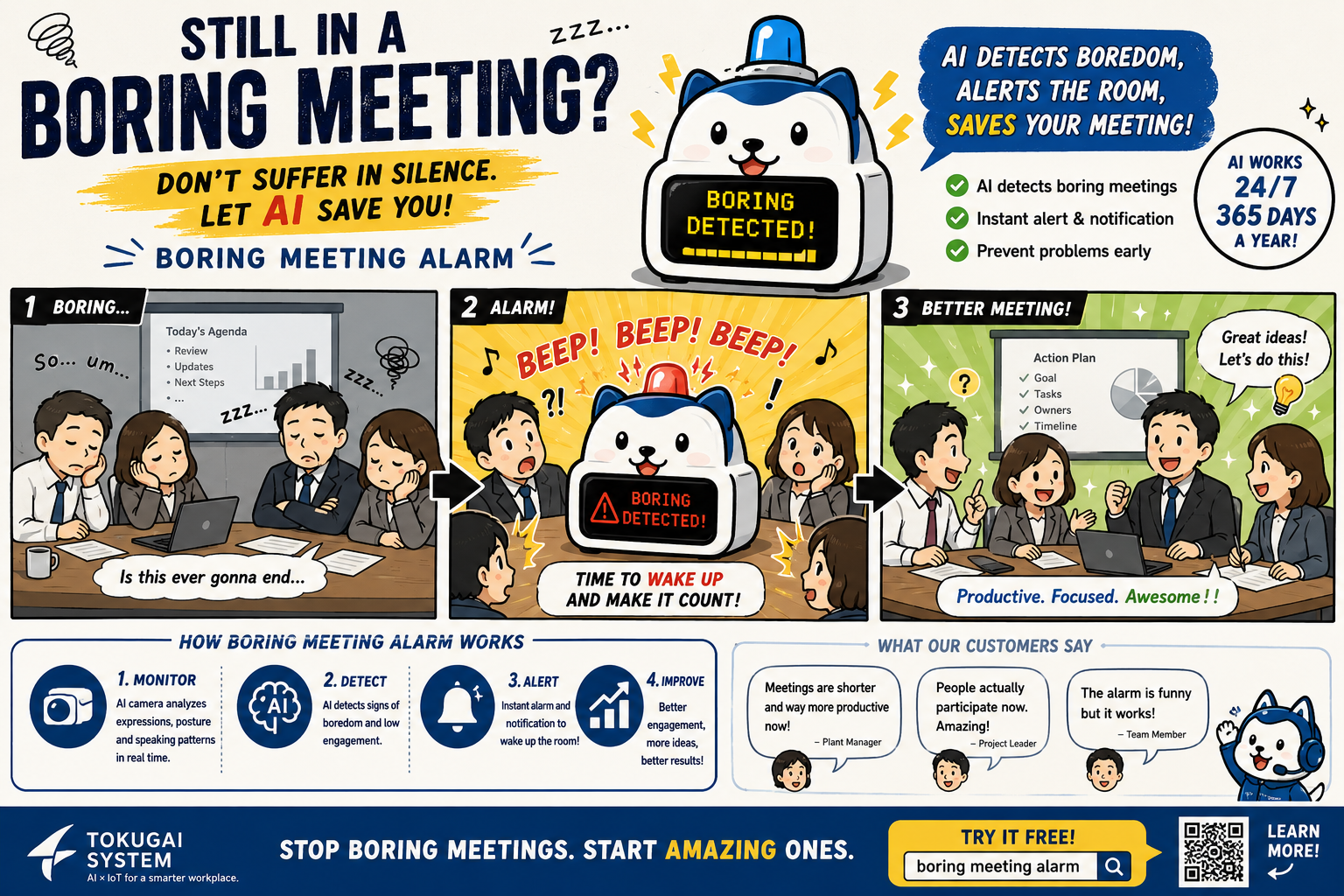



I missed another meeting ending. So I built a silence detector.
Last Friday I left my desk during what was supposed to be a quick 30-minute weekly sync. The host was wrapping up some screen share, the discussion had thinned out, and I figured I’d grab a coffee from the kitchen. I came back 7 minutes later and the Zoom tab had gone quiet. Long quiet. Like, “I left, the call ended six minutes ago, and there’s just a black screen with one straggler from QA who also forgot to leave” quiet.
That’s the third time I’ve done it this month. The fourth if you count the Tuesday all-hands where I started replying to email and only noticed the meeting was over when the cleaner walked past my open door and asked if I’d finished.
I am not a special case. Hybrid meetings have an attention curve, and once the active part is done, the part you actually needed to attend for, your brain checks out. The trouble is that the call itself doesn’t end on a schedule. The host wraps up early. Or late. Or someone has a question that turns into eight more questions. There’s no reliable signal in the calendar that the room is now empty.
The things I tried first
The obvious solutions don’t actually work.
Calendar reminders fire before the meeting starts, not when it ends. Pomodoro-style timers want a hard duration, but the whole point is that I don’t know when the call will end. There are Chrome extensions that put a countdown on Google Meet, same problem; they end when time ends, not when talking ends. AI note-takers like Otter or Tactiq are designed around “what was said,” not “is anyone still saying anything?” Setting a kitchen timer requires me to remember to do it, which is precisely the muscle I’ve already failed.
What I actually wanted was someone in the room who’d tap me on the shoulder and say, “hey, it’s been quiet for a while.” Hard to outsource to a human. Easy, it turns out, to outsource to a browser.
The realization
The audio of the meeting is already coming out of your speakers. Your browser knows about it. It has APIs that can capture the audio output of any tab you choose to share, the same way that screen-recording tools work. And once you have the audio, you don’t need to do anything fancy with it. You just need to notice when it gets quiet for longer than it usually goes quiet.
That was the entire idea. I sat on it for about an hour, half-convinced something this obvious must already exist. I went looking. Timer extensions, note-takers, summarizers, screen-recorders. Nothing that just listens for the silence.
So I built one.
What the tool does
It’s called Boring Meeting Alarm, which is a pretty literal name. You open alarm.tokugai.com, click “Start Monitoring,” and the browser asks which tab you want to share. You pick your meeting tab, tick the “Share tab audio” checkbox in the picker, and that’s the setup. From there, the page watches the volume of that tab. When the volume stays below a threshold for longer than the duration you set, default is 30 seconds, you get three things at once: a popup in front of whatever you’re doing, a system notification (the kind that survives in your notification center), and a small alarm sound.
You can tune the threshold and the duration if your meetings have a lot of natural pauses. I keep mine at 45 seconds because some of our retrospectives have long thinking gaps and I don’t want a false positive when nobody’s spoken for half a minute.
There’s no signup. No installation. No extension to approve. It opens like any other website.
The part I’m proud of
I want to be specific about this, because it’s the kind of claim that’s easy to make and easy to handwave. There is no backend on this site. There is no recording. The browser captures the audio stream from your tab, hands it to the Web Audio API to read the current volume, and then discards everything else. The numbers used to draw the volume meter and trigger the alert never leave the page either. You can open your browser’s network panel while it’s running and watch. You’ll see no audio data going out, because there isn’t any.
The whole site is a handful of static HTML pages on Cloudflare. Even if I wanted to spy on your calls, I’d have no server to spy from.
Why I’m putting this out for free
Because most of my favorite small tools on the internet were given away the same way, by people who built something for themselves and figured someone else might want it too. This took me a weekend. It works on every Chromium browser. It costs me roughly nothing to host. If it helps one other person notice the end of a Q&A they were quietly checked out of, that’s a fair trade.
If you want to try it, the tool is at alarm.tokugai.com, with Chinese and Japanese versions. The source is [on GitHub](https://github.com/lexluthor0304 boring_meeting_alarm) under MIT. If you’re curious how the silence detection actually works in code, there’s a separate write-up on the project site.
If you build something similar, or if you spot a meeting type where my defaults fall over, drop me an issue. I’d like to know.




コメントを残す